
How to Set Up Alipay: A Step-by-Step Guide for Foreign Users in China
Updated 2026-06-20
Over my 20 years sourcing from China, I've learned one thing fast: without Alipay or WeChat Pay, you can't do business in China. Whether you're paying a supplier, booking a hotel, or buying samples at a trade fair, mobile payments are the standard. Setting up Alipay might seem daunting for a foreigner, but it's straightforward once you know the steps—and it's absolutely essential for any US business seriously importing from China.
Alipay – how to set up? A step-by-step guide
Alipay is a popular app owned by Alibaba Group. It is one of China’s premier digital wallet platforms. With Alipay’s digital wallet, users can securely store payment methods, including debit and credit cards, as well as bank account information, allowing for swift and convenient transactions with just a few taps on their smartphones. Moreover, in one app you can make bill payments, transfer money, and even invest.
Here is a step-by-step guide on setting up Alipay.
1. Download the Alipay app
Download the Alipay app from the Apple Store (Apple devices) or Google Store (Android devices).
2. Register on Alipay
Set up an Alipay account by entering your phone number and entering the verification code you get in a message.
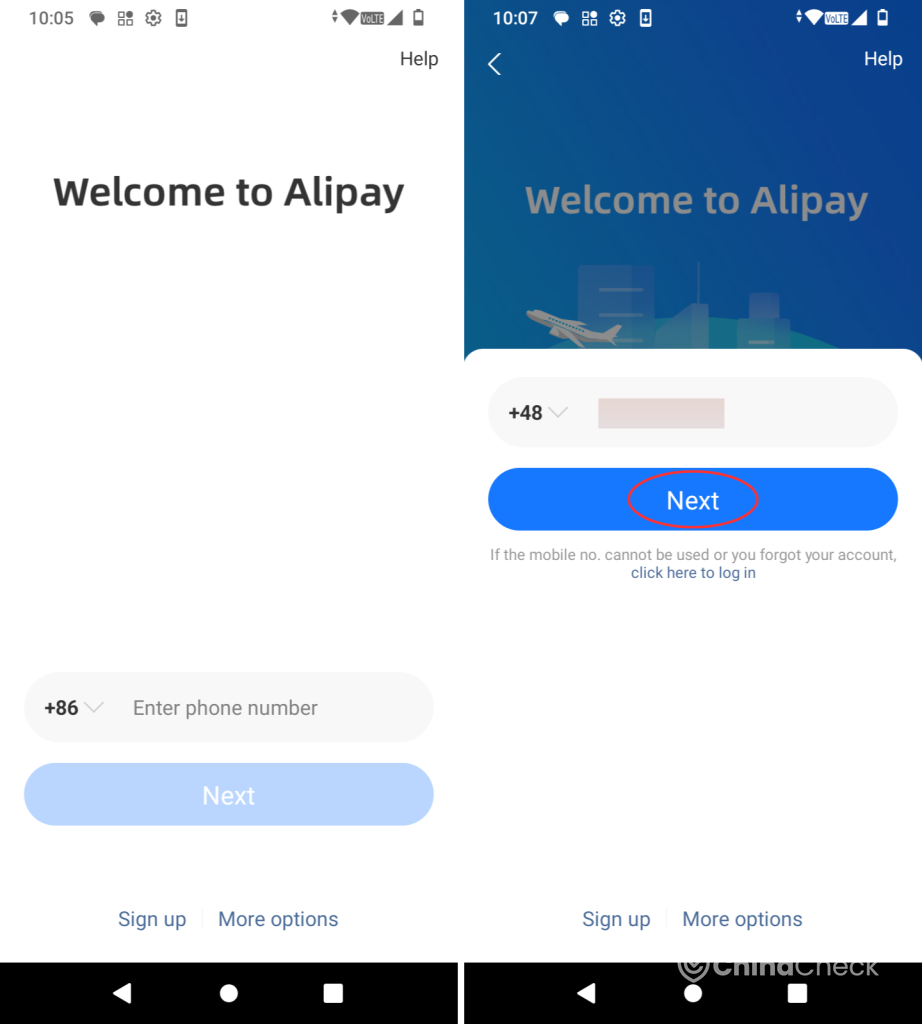
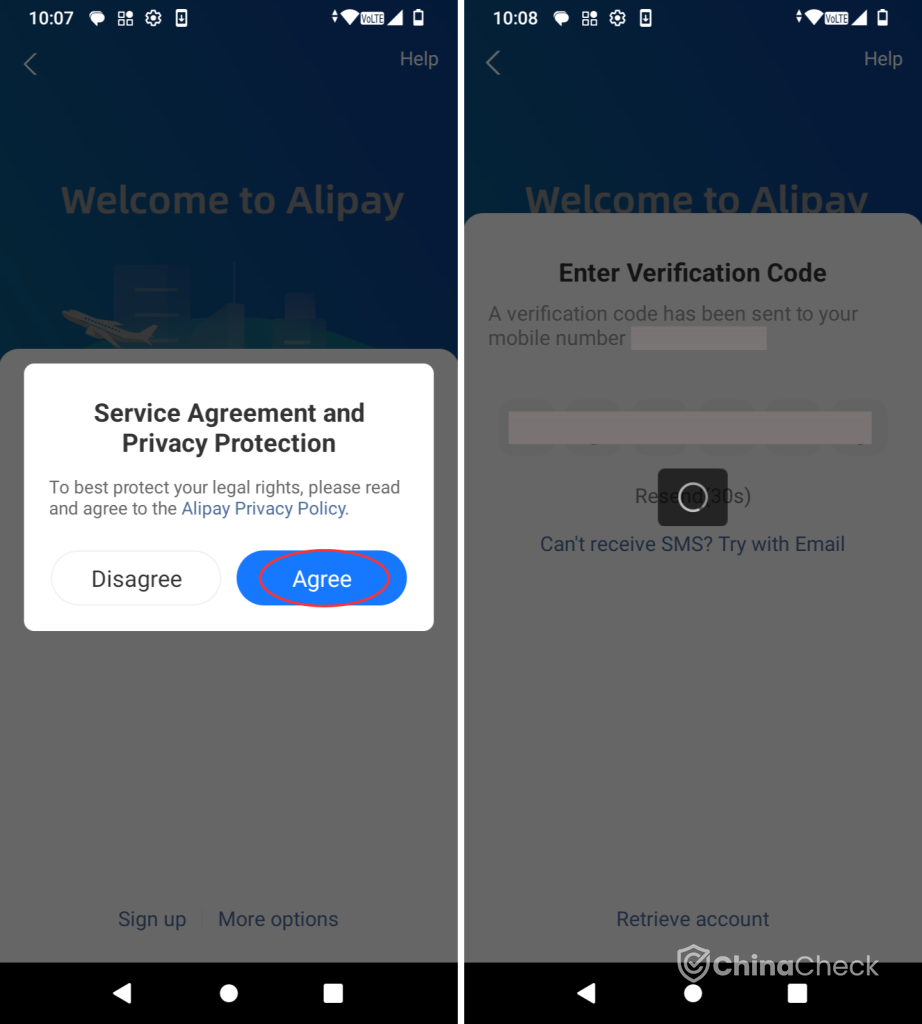
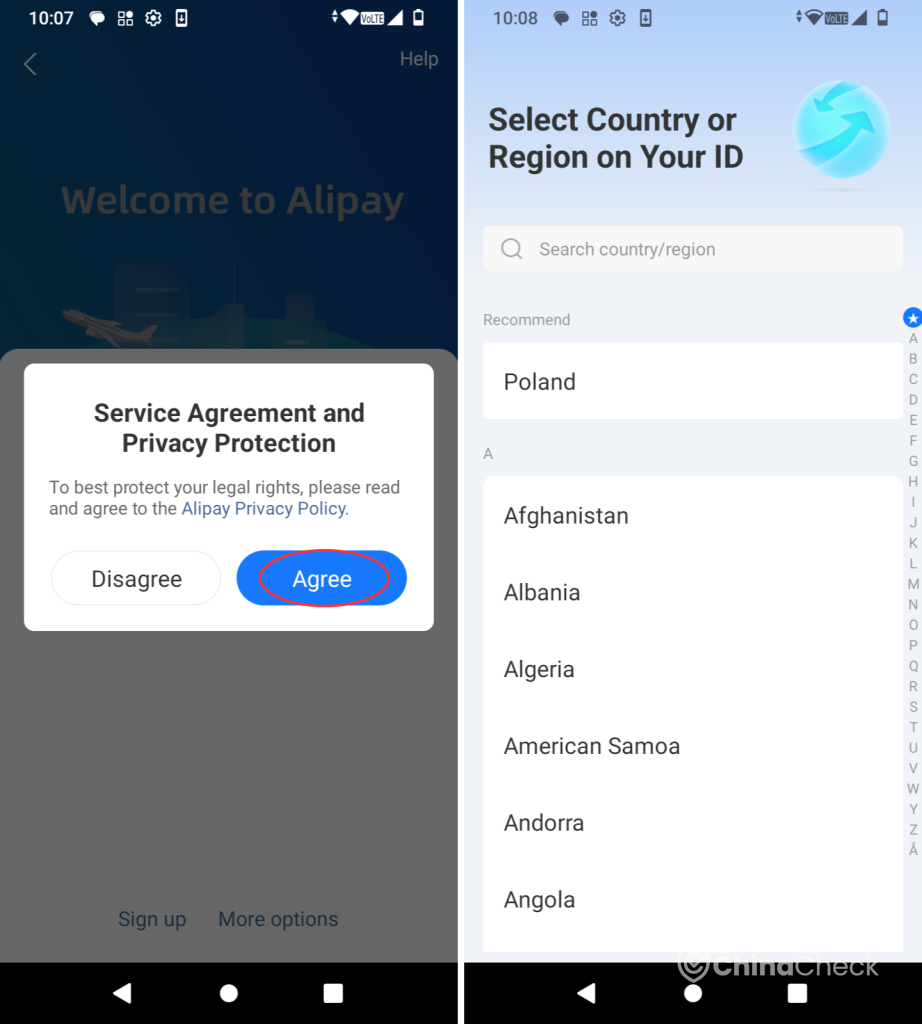
3. Choose your Country/Region and agree to terms
Once you’ve created your Alipay account, agree to the Service Agreement and Privacy Protection and choose your country or region.
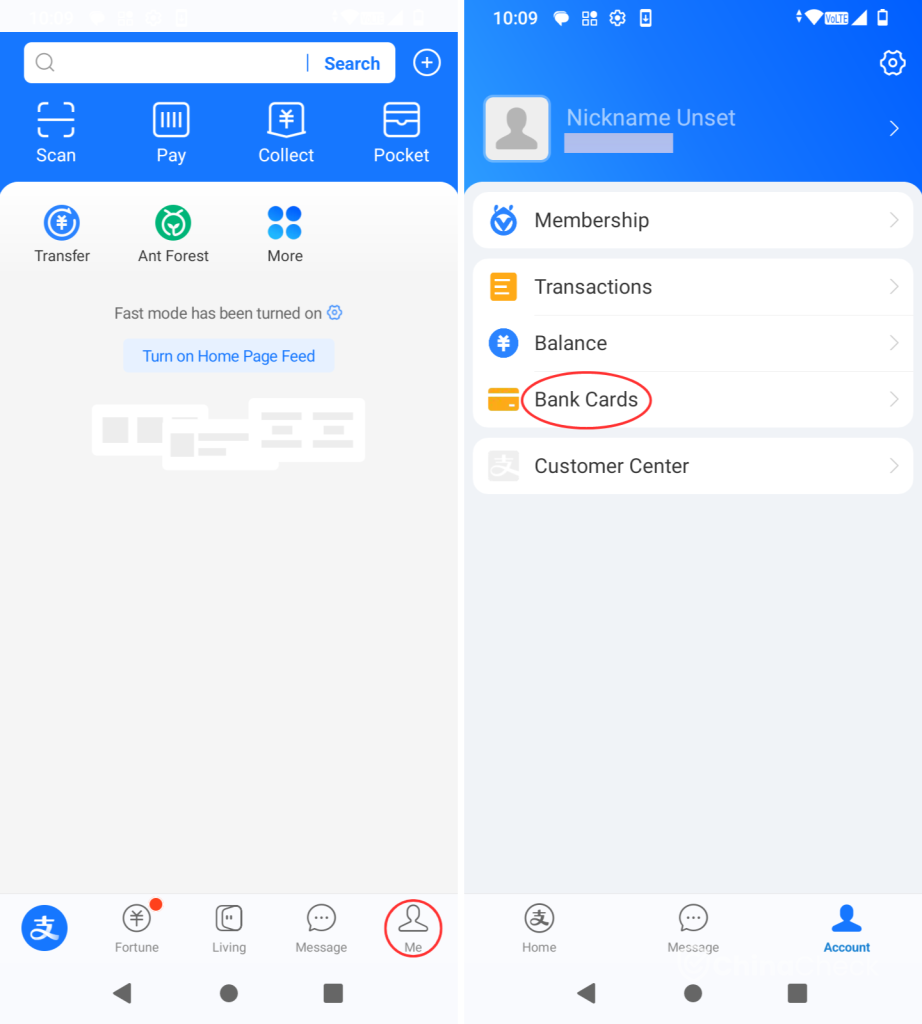
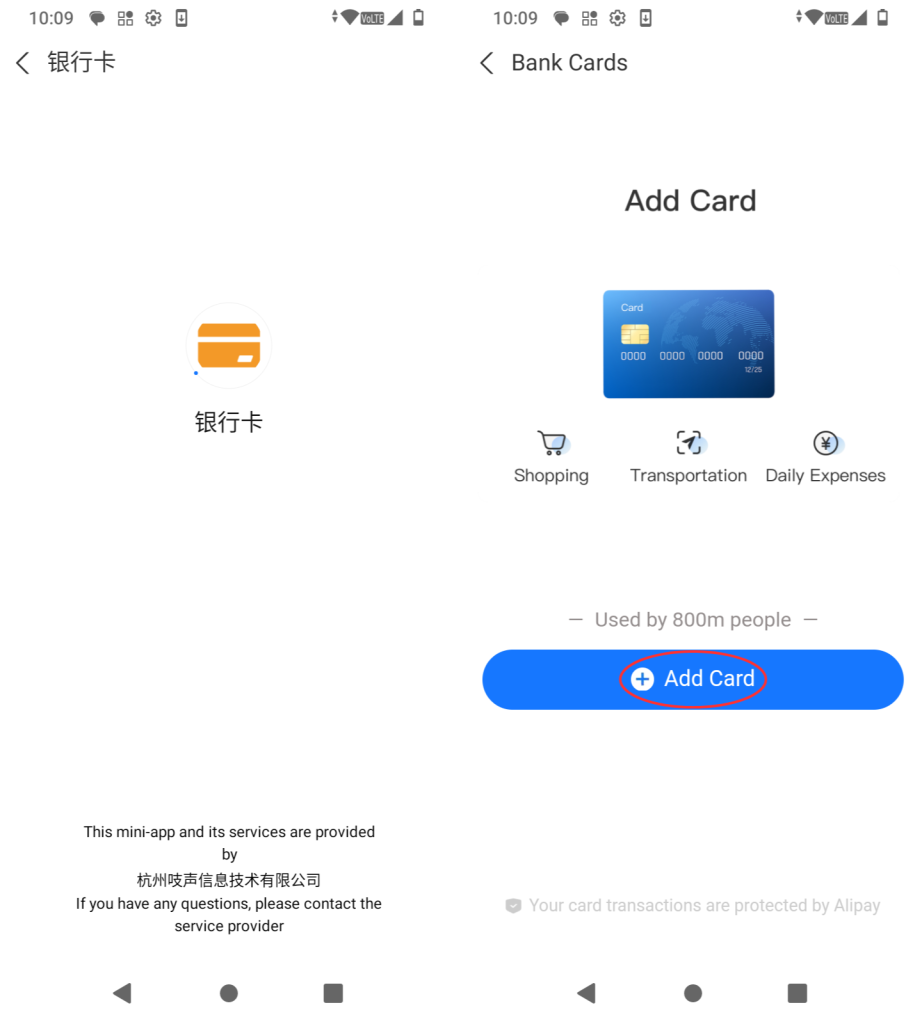
4. Go to Me in the bottom bar and select Bank Cards
In order to add cards to your digital wallet feature, go to the “Me” section and select “Bank Cards.”
5. Choose Add Card in Alipay
In Bank Cards, choose “Add Card.”
6. Alipay payment password
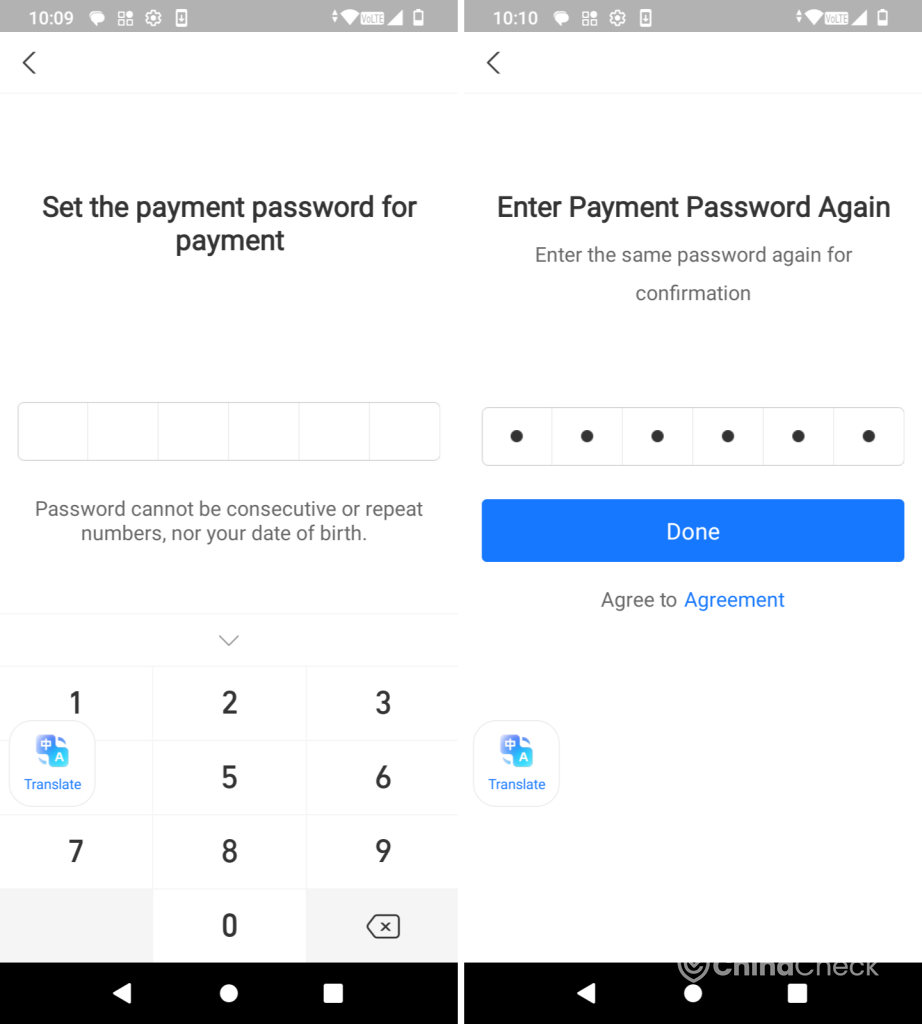
Before you enter your bank card information, set the payment password and enter it again for confirmation. By tapping on “Done,” you automatically agree to the Agreement.
If you log in to the Alipay app on a different device, you must verify your payment password.
7. Add your card information
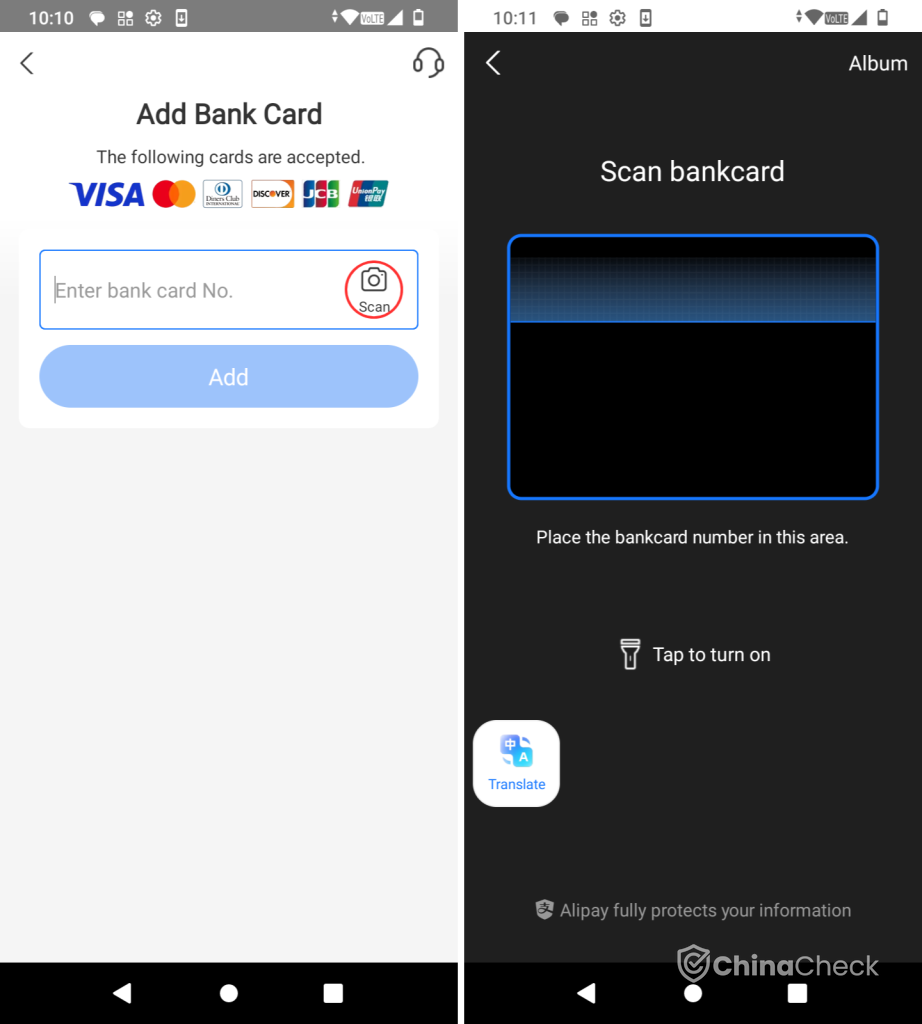
Enter the bank card number or scan your card with your phone camera.Then just put in more information and you are done adding a card!
8. How can I be added as a friend on Alipay?
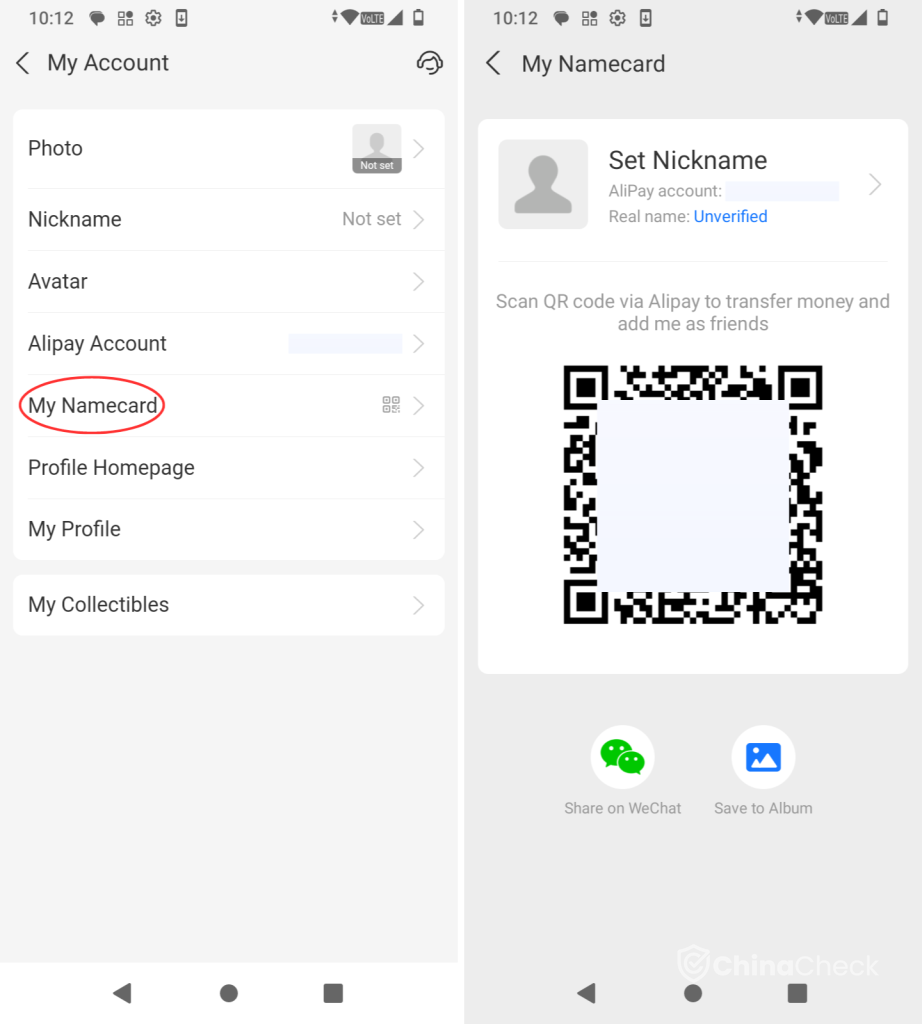
If someone wants to transfer money to you on Alipay, go to “My Account” > “My Namecard” and show them your QR code.
9. How to transfer money on Alipay?
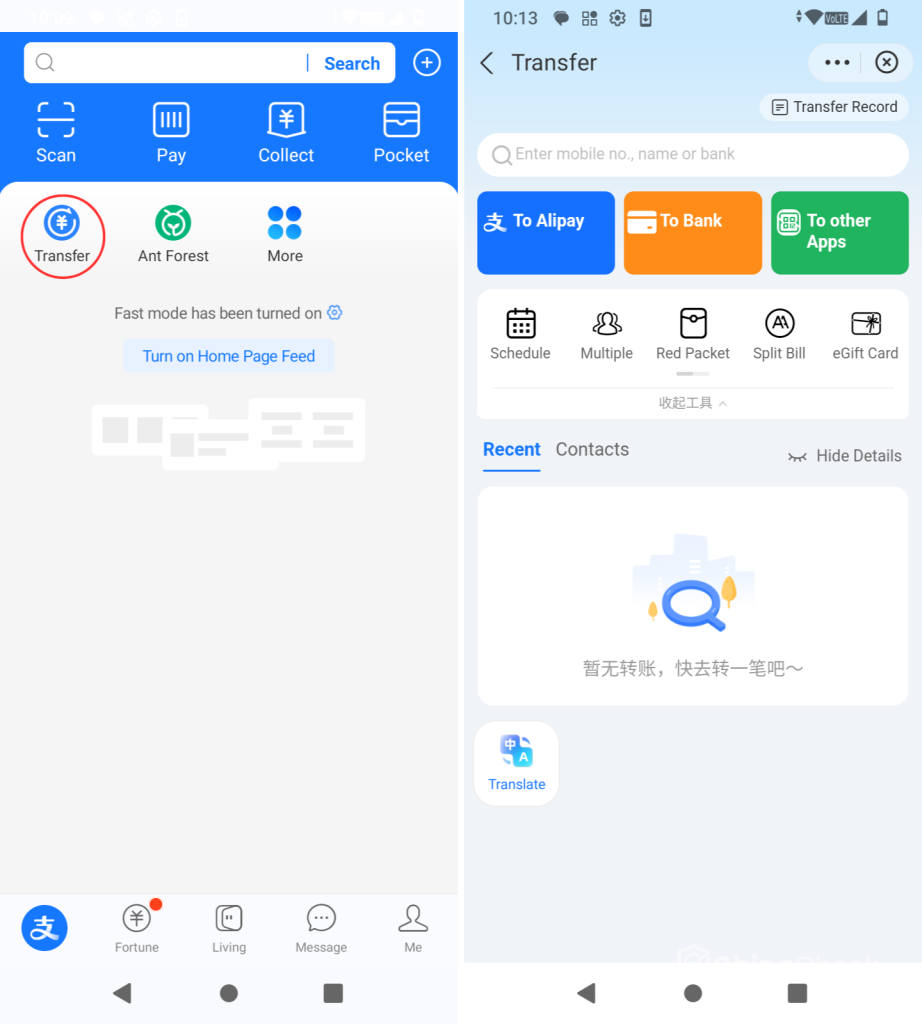
On the main page, go to “Transfer” and choose where you want to transfer your money to, such as:
- Alipay
- bank
- other Apps.
On the Alipay “Transfer” page, you can also choose to:
- schedule your transfers
- send transfers to multiple accounts
- send Red Packet, popular during the Chinese New Year
- split a Bill
- give eGift Card
- and more.
10. How to get money on Alipay?
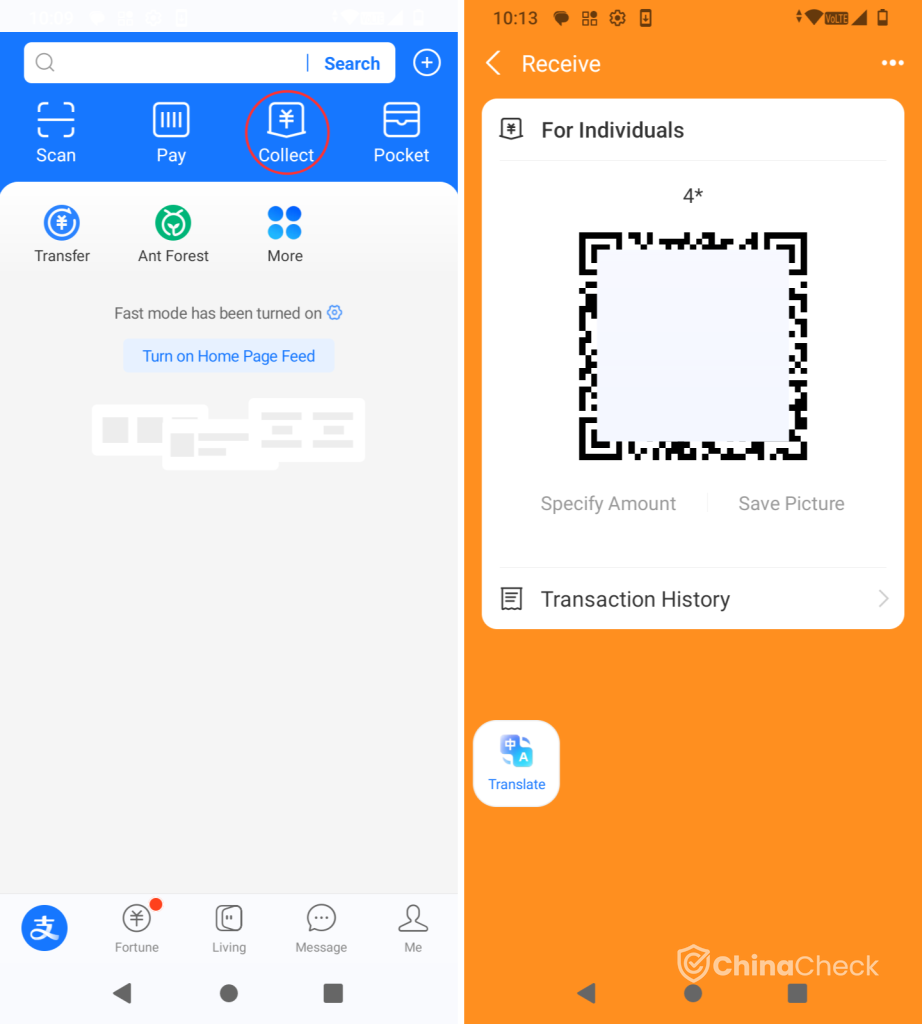
To receive transfers on Alipay, choose “Collect” on the main page and show your QR code.
11. Integrated features in Alipay
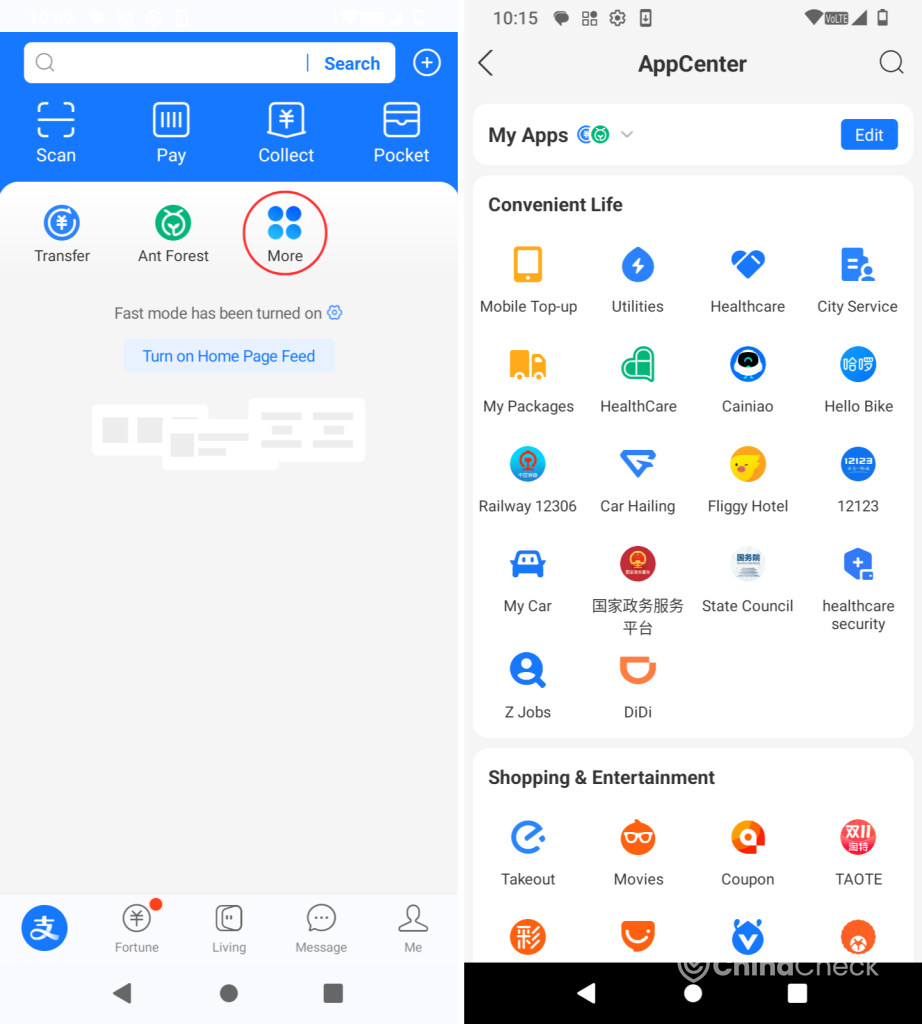
You can use Alipay to pay conveniently for services such as mobile top-up, transportation, takeout, renting movies, setting appointments, and more. Go to “More” on the main page and choose the option you desire from the AppCenter.
12. See the available balance on Alipay
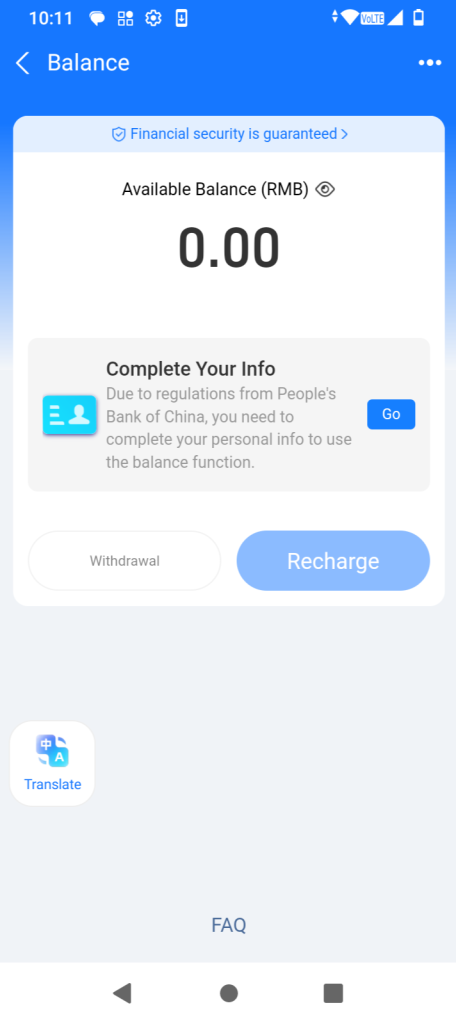
You can look up the available balance by going to “Balance.” From here, you can withdraw or recharge.
Please note that you must complete your personal information to use the balance function.
Setting up Alipay – how to pay cashless in China?
There are two ways to pay using Alipay. You can:
- show your QR code/barcode at the checkout/to the waiter in the app (it is automatically refreshed every minute)
- scan the blue QR code at the checkout with your app.
If you want to set up a security verification step before displaying the payment code each time, enable the Payment Lock function. Click the “Pay/Receive” button and choose a verification method in “Face ID/Pattern Unlock.”
When paying, always make sure to confirm that the amount is correct!
Do I need Internet access to pay via Alipay?
If you want to pay with Alipay, make sure you have Internet access first. An internet connection is required the first time you use the payment code, but you can use the code without an internet connection after that.
What is the payment limit in Alipay?
No verification of payment password or other methods (such as Touch ID, Smile to Pay) is required for transactions with a payment amount of up to:
- 1000 CNY in Mainland China
- 5000 CNY outside the Mainland China.
When a single payment is higher than the above-indicated amount, Alipay will confirm whether it needs to verify your payment password or other transaction instruction verification methods (e.g., Touch ID, Smile to Pay) according to the real-time situation of the transaction. Bear in mind that the limit may be changed based on specific payment situations, etc.
Alipay – how to set up? Conclusion
Setting up Alipay is intuitive and not time-consuming. Some say that Alipay is more user-friendly than WeChat and WeChat Pay. Choose the best app for yourself and enjoy cashless payments in China!
Once your Alipay is set up, you'll be ready to transact with Chinese suppliers seamlessly. But remember: while Alipay is great for payments, it doesn't verify who you're paying. Before wiring thousands of dollars, always confirm your supplier's legitimacy. That's where China-Check comes in—we provide on-the-ground factory inspections, supplier verification, and quality control to protect your investment. Don't rely on an app alone; let us help you verify before you pay.
Doing business with a Chinese company? Verify it before you commit
Run a verification →Verify before you pay
Get an independent due-diligence report on any Chinese company — registration, legal status, litigation and risk signals — delivered to your inbox.
Check a company now